A practitioner's comparison of the five platforms your player support team is actually choosing between.
Most "best customer support software" lists are written for SaaS companies. They compare ticket routing and CSAT dashboards like every helpdesk is built for the same job. They're not.
Player support is a different animal. Your ticket volume doesn't follow a predictable curve. It can spike overnight when a patch breaks ranked matchmaking on a Friday night. Your players don't politely fill out a web form and wait 48 hours. They post the bug on Reddit, tag you on Twitter, and leave a Steam review before your team even gets an alert. And the context behind every ticket (what platform, what level, what they just purchased, what got rolled back) lives inside your game, not inside your helpdesk.
This is a comparison built for the people actually running player support at game studios. Five tools. Evaluated on the stuff that matters when your users are players, not enterprise software buyers.
What We Looked At
Every tool here got evaluated on five things:
Does it understand games? Not "can it be configured for games" but does it arrive with gaming workflows, gaming-specific AI models, and an understanding of what a patch day does to your queue.
Can players get help without leaving the game? In-app and in-game support isn't a nice-to-have anymore. Every time a player exits the client to open a browser and find your support portal, you're adding friction that costs you retention.
How good is the automation? Bot workflows, AI classification, self-service deflection. The question isn't whether it has AI. Everything has AI now. The question is whether the AI actually handles gaming-specific ticket types (purchase failures, ban appeals, missing currency) without sending garbage responses.
Can it handle a launch week? Or a broken update. Or a holiday event. If your tool falls over when volume triples, it doesn't matter how clean the dashboard looks on a Tuesday.
Does it connect to where players actually talk? Discord, Steam, Reddit. If your support tool only lives on email and a web widget, you're missing where half the conversation happens.
The Five Tools
1. Helpshift
Who it's for: Mobile and cross-platform studios running live games at scale.
Helpshift is the most gaming-native platform on this list. It's been around since 2011 and was acquired by Keywords Studios in late 2022, then integrated into Keywords' broader player support business in 2023. That context matters because the product roadmap has long been oriented around the problems game studios face, not just generic customer service.
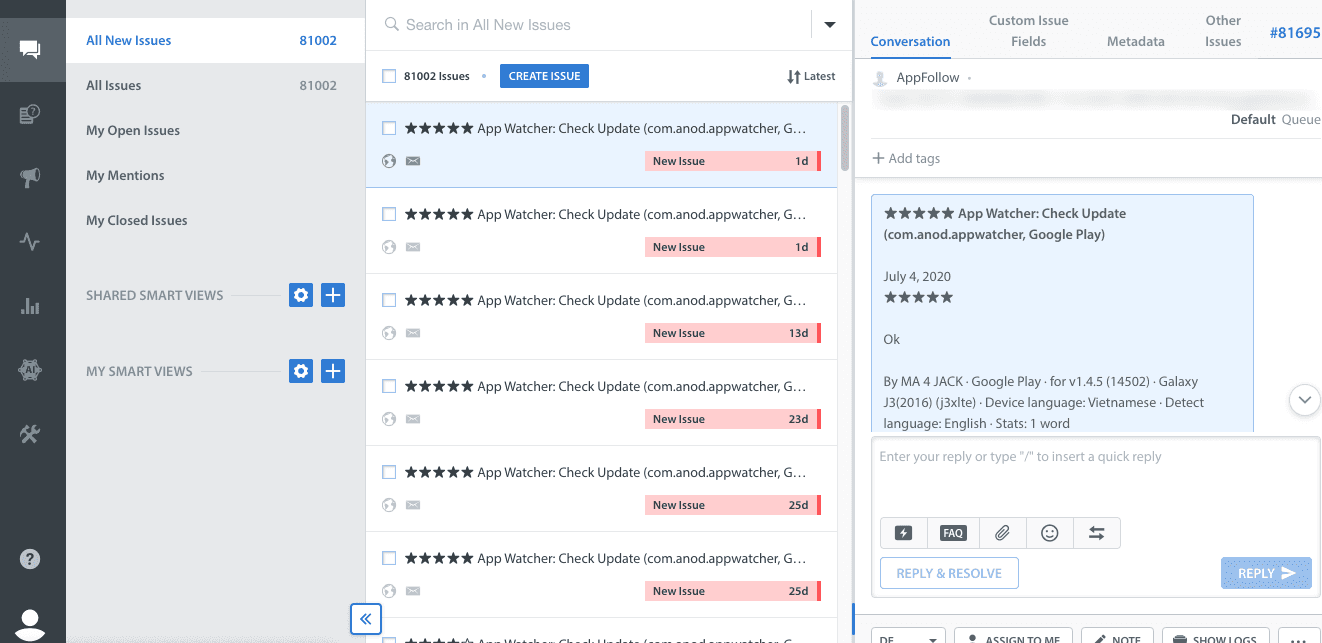
The core selling point is in-game support through an SDK that embeds directly into your game client. layers open a support conversation without leaving the app. They can browse FAQs, talk to a bot, and escalate to an agent, all inside the game. For mobile studios, this is the standard. Supercell, Zynga, EA, Ubisoft, SYBO (Subway Surfers), Rovio, and KRAFTON have all been listed among Helpshift's gaming customers.
The AI layer is where Helpshift has invested heavily. Their Smart Intents system classifies player issues into gaming-specific categories: in-app purchase errors, account recovery, matchmaking bugs, missing currency. It's not a generic NLP model being asked to figure out what "my gems are gone" means. Keywords has cited 60%+ AI automation on average for clients using the Helpshift platform, with results varying by implementation, ticket mix, and knowledge base quality. That number is automation/deflection, not guaranteed clean resolution, but even so, when you're staring down 40,000 tickets during a content drop, reducing the number that hit an agent queue is significant.
The honest downsides: integration requires engineering work. You're adding an SDK to your build, which means your support team and your dev team have to coordinate on implementation and updates. That's fine for a studio with 50 people. It's a real barrier for a four-person indie team shipping on Steam. The pricing model is consumption-based, which means your costs go up when your volume goes up. Some third-party pricing references cite starter plans beginning around $150/month for 250 issues, but studios at scale are usually on custom enterprise contracts. And their reporting runs through PowerBI, which some teams find clunky compared to native dashboards.
Best at: In-game support, gaming-specific AI deflection, mobile-first studios.
Weakest at: Small-team accessibility, PC-only games without a launcher, transparent pricing.
2. Zendesk
Who it's for: Studios that need enterprise-grade infrastructure and already have an ops team that knows how to configure things.
Zendesk is the default. It's what you end up on when your studio grew out of shared Gmail inboxes and someone said "we need a real ticketing system." There are good reasons it ended up the default. It handles volume reliably. The SLA management is mature. The reporting is strong enough to show leadership exactly how support is performing. And if you're running multiple titles, you can manage separate brand identities under one admin layer without losing your mind.
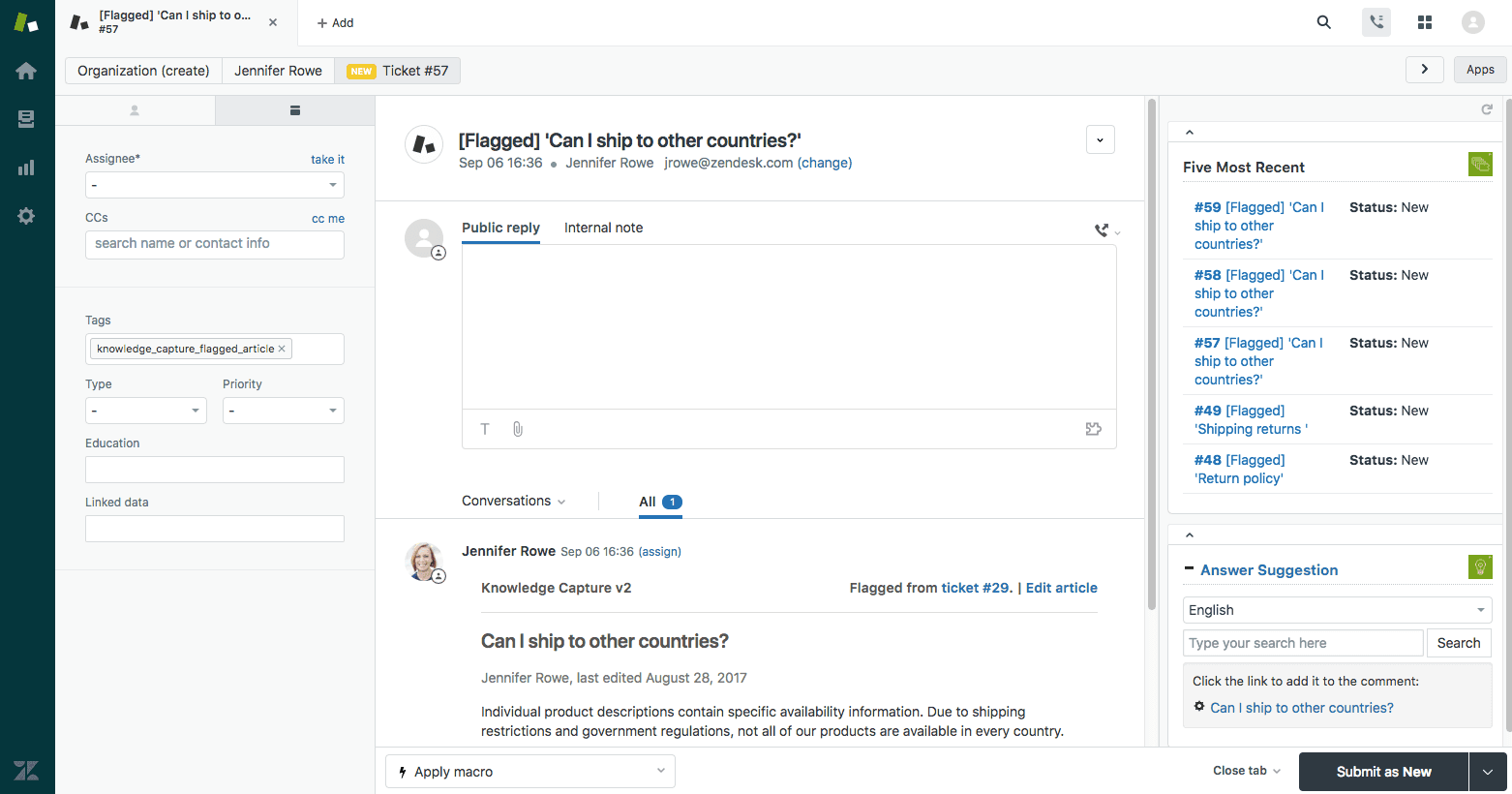
For gaming specifically, Zendesk's biggest strength is its ecosystem. There's an integration for almost anything. Discord, Steam, Twitch, Slack, Salesforce. You can connect it to your game's backend through the API. You can build custom apps on top of it. If you have an ops-minded support lead who likes configuring systems, Zendesk gives them enough rope to build something genuinely good.
Zendesk also has mobile SDKs for iOS and Android, and a Unity SDK specifically for games. So yes, you can embed support directly inside a game client. Players can browse your help center, submit tickets, and chat with agents without leaving the app. The Unity SDK means studios building in that engine can wire in support without a separate mobile integration effort. It's not as deep as Helpshift's gaming-specific SDK (there's less in-game contextual data flowing into the ticket by default, and the AI layer behind it is general-purpose), but saying Zendesk is "web widget only" would be wrong. The SDK exists and it works.
Where Zendesk falls behind in a gaming context is the AI. The intent models are general-purpose. Helpshift markets its intent classification as trained on gaming support data, while Zendesk's AI is broader and more horizontal. That distinction matters when your most common ticket types are things like "my season pass didn't unlock" and the AI needs to understand the difference between a purchase problem, an entitlement problem, and a gameplay progression issue. You can train Zendesk's system, but you're starting from a horizontal baseline rather than a gaming-native one.
Pricing starts low ($19/agent/month for Zendesk Support Team) but climbs fast as you move into the full Suite, automation, bot features, and add-ons. Each agent seat is a multiplier. Studios running 10+ agents on higher-tier plans can easily end up spending more than the sticker price suggests, which is not obvious from the entry-level plan.
Best at: Enterprise scalability, reporting, integration ecosystem, multi-title management.
Weakest at: Gaming-native AI, upfront pricing clarity, in-game contextual depth compared to Helpshift.
3. Freshdesk
Who it's for: Indie and AA studios that need a real helpdesk without a real budget.
Freshdesk is what Zendesk looks like when cost is the primary constraint. The feature set covers the fundamentals: ticketing, automation rules, canned responses, a knowledge base, multi-channel support. For a player support team of 2-5 agents standing up their first structured support operation, it does the job.
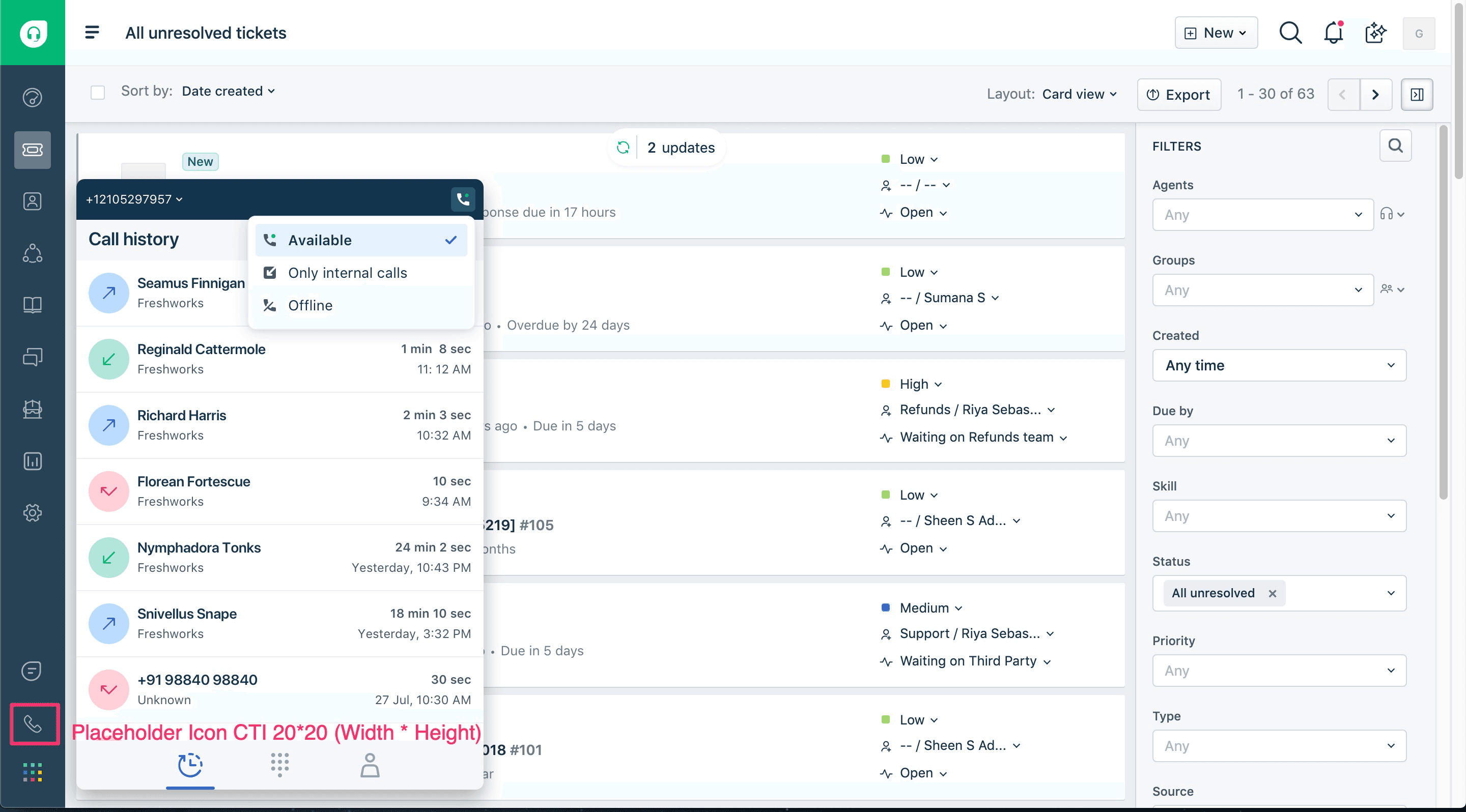
The free tier can be useful for getting started, especially for a small studio trying to move support out of a shared inbox and into something trackable. That's enough for a small studio to start measuring resolution times and common issue types. The paid Growth tier starts at $19/agent/month and adds more advanced automation, SLA management, and AI-assisted features depending on the package.
Where Freshdesk falls short in a gaming context is the same place Zendesk does: it's a horizontal helpdesk applied to a vertical use case. Freshdesk does have a Mobile Chat SDK for iOS and Android, powered by Freshchat, that enables in-app messaging, knowledge base access, and ticket creation without leaving the app. So it's not SDK-less. But there's no Unity integration, no gaming-specific intent models, and the AI isn't trained on gaming ticket types out of the box. The Discord and Steam integrations exist through third-party connectors, not native gaming support. You can make it work, but you're spending time building what Helpshift gives you out of the box.
The honest case for Freshdesk is this: if you're shipping your first live game and your entire player support budget is "we'll figure it out," Freshdesk gives you enough structure to not be embarrassing. You get ticket tracking, you get a knowledge base, you get basic automation. When your DAU hits a point where you need gaming-specific tooling, you migrate. That's a perfectly reasonable path, and it's the one a lot of studios actually take.
Best at: Cost-effectiveness, speed to setup, good enough for early-stage studios.
Weakest at: Gaming-specific features, no Unity SDK, advanced AI for gaming ticket types.
4. Discord
Who it's for: Every studio. Not as your helpdesk. As your front line.
Discord is on this list because pretending it's not a player support channel is delusional. Your players are already in your Discord server asking questions, reporting bugs, and telling each other how to fix the problems your support team hasn't responded to yet. The question isn't whether Discord is part of your support stack. It already is. The question is whether you've built structure around it.
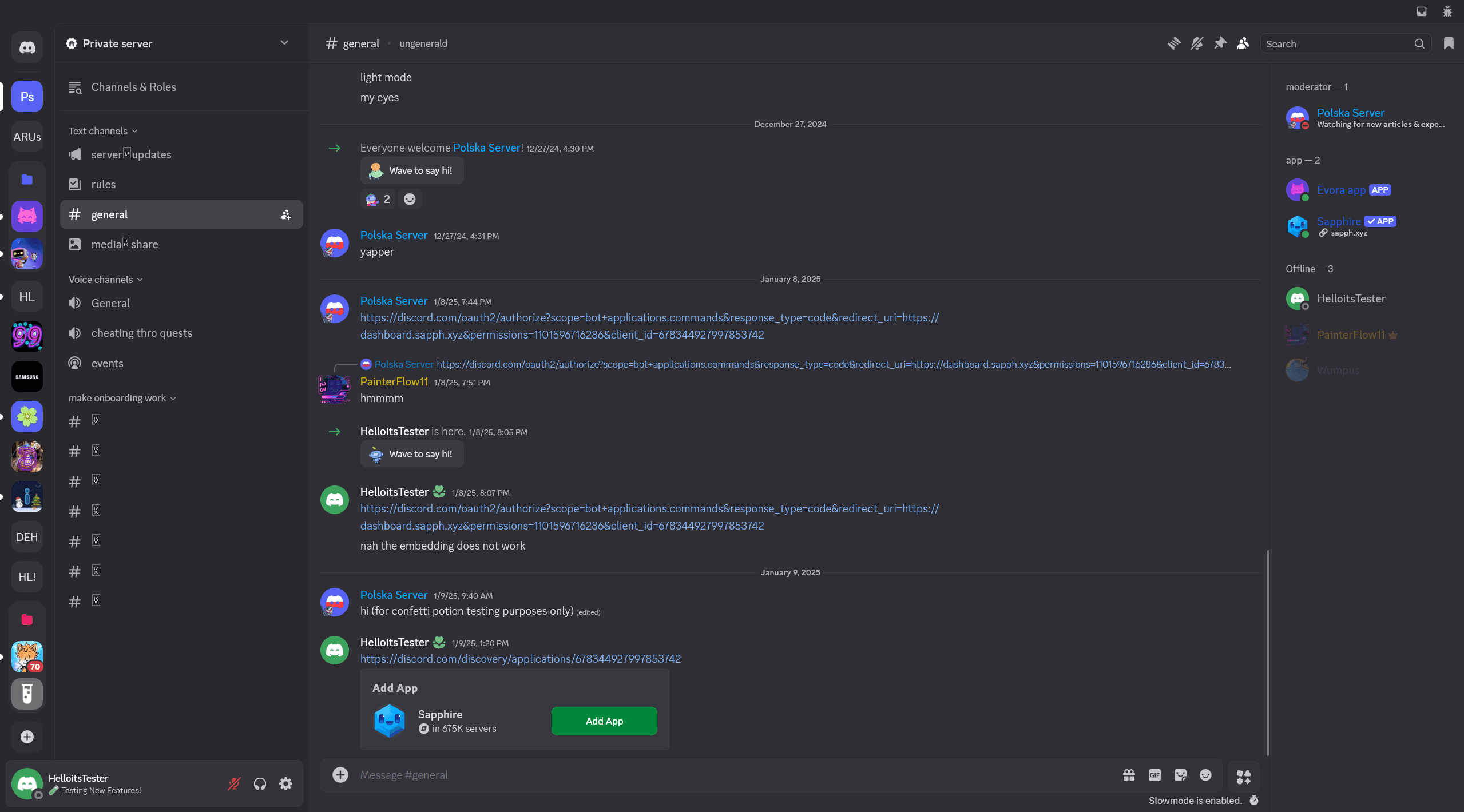
When you do build that structure, Discord support has real advantages. It's fast. Community members answer common questions before your team even sees them. The feedback loop is immediate. You can read player sentiment in real time in a way that no helpdesk dashboard replicates. And the cost is essentially zero in tooling terms.
The right way to run it: dedicated support channels with clear rules. A ticketing bot (Ticket Tool, ModMail, or similar) that creates private threads for individual issues. Pinned FAQs and auto-responders for the ten most common questions. A moderator team that triages inbound issues and routes anything complex to your actual helpdesk.
The wrong way to run it: treating your #general channel as your support queue and hoping active community members handle everything. That works at 500 DAU. It breaks at 5,000. And it breaks badly, because the quality of answers from community members varies wildly, and wrong answers from a well-meaning player can be worse than slow answers from your team.
The framing that works: Discord is your community-facing support front end. It's where players go first. It handles the easy stuff and surfaces the hard stuff. Behind it, you need an actual helpdesk (Helpshift, Zendesk, Freshdesk, whatever) for structured ticket tracking, SLA management, and anything that requires account-level investigation.
Studios that integrate Discord into their helpdesk (Helpshift has a Discord integration that routes support requests into their agent queue; Zendesk connects through third-party apps) get the best of both: community-speed first response with helpdesk-grade tracking on the backend.
Best at: Real-time player sentiment, community-powered first response, cost.
Weakest at: Structured ticket management, SLA tracking, scaling beyond small-to-mid communities without significant moderation investment.
5. Intercom
Who it's for: Studios that want to talk to players before players have a problem.
Intercom is the outlier on this list. It wasn't built for games. It was built for SaaS companies that wanted to talk to users inside their product. But the capability that makes it interesting for game studios is one that most gaming-native tools don't do well: proactive, targeted, in-product communication.
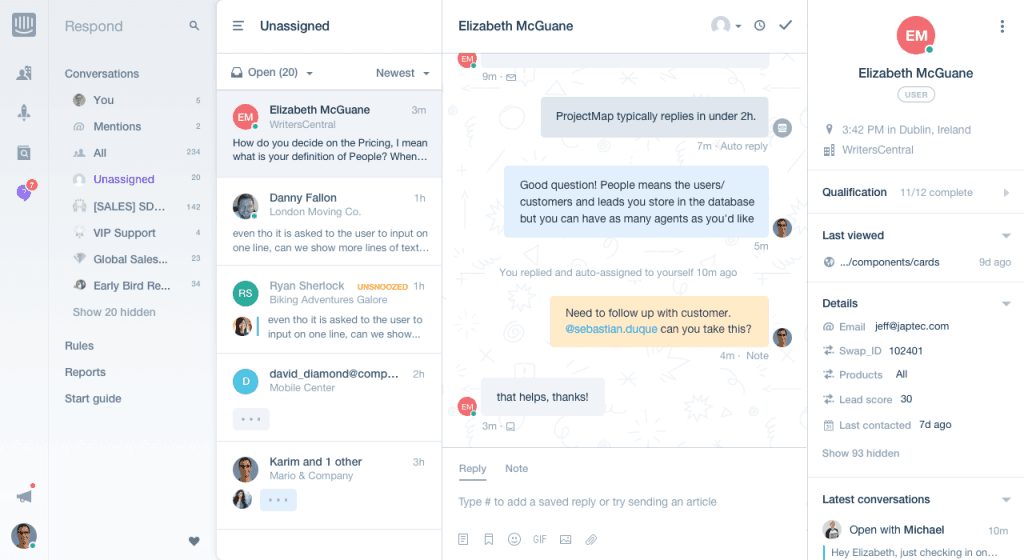
Here's the scenario. You push a patch. It breaks something for players on a specific device, or a specific OS version, or players who purchased a specific item. With a reactive support tool, you wait for those players to notice the problem, get frustrated, and submit a ticket. With Intercom, you push a targeted message to that player segment inside the app before they even hit the issue, with a heads-up and a workaround. That's not support. That's prevention. And prevention is always cheaper than resolution.
The AI layer (Fin, their resolution bot) has gotten genuinely good. It pulls from your knowledge base, handles natural language well, and Intercom prices Fin at $0.99 per successful outcome, on top of seat-based plans. For studios with uneven volume patterns (quiet weeks punctuated by launch spikes), that pricing model can work in your favor compared to per-seat models where you're paying for idle agents.
The trade-off: Intercom is not cheap. Seat-based plans start at $29/seat/month for Essential, and the $0.99/outcome Fin charges stack on top of that. During a content drop or a broken patch, when your volume doubles and Fin resolves thousands of extra conversations, your bill moves with it. The risk is cost predictability: if AI resolutions spike during launch week, the bill can scale with volume. And because it's a horizontal product, you're building gaming-specific workflows from scratch. There's no intent model that knows what "my battle pass disappeared" means. You're training that yourself. For studios that already have a gaming-native helpdesk (Helpshift or a configured Zendesk) and want to add a proactive communication layer on top, Intercom can be a strong complement. As a standalone player support platform, it's a stretch.
Best at: Proactive in-app messaging, player segmentation, outcome-based AI pricing.
Weakest at: Gaming-specific workflows, cost predictability at high volume, standalone use for player support.
Side-by-Side Comparison
Gaming Fit | In-Game Support | AI & Automation | Launch-Day Scale | Community Integration | |
|---|---|---|---|---|---|
Helpshift | Purpose-built for player support | SDK-native | Gaming-trained intents | Strong | Needs connectors |
Zendesk | Configurable | SDK available (incl. Unity) | General-purpose | Enterprise-grade | Via integrations |
Freshdesk | Configurable | Mobile SDK (no Unity) | Basic/mid-tier | Adequate | Via integrations |
Discord | Native to players | N/A (external) | Bot-dependent | Breaks without moderation | It IS the community |
Intercom | Adaptable | In-app messaging | Strong (Fin bot) | Good | Limited |
So Which One Should You Pick?
Depends on who you are.
You're a mobile studio or cross-platform live service game with real volume. Helpshift. It's the most gaming-native choice. The SDK integration is work, but the gaming-trained AI and in-app support experience are things you can't easily replicate by configuring a generic helpdesk.
You're an indie or AA studio shipping your first live game. Start with Freshdesk. Get your processes right, build your knowledge base, learn what your actual ticket patterns look like. Migrate to something more specialized when the volume demands it.
You're already on Zendesk and your ops team has configured it well. Stay. The switching cost to a gaming-native tool is real, and a well-configured Zendesk with the right integrations handles the job. Evaluate a migration when your current setup starts breaking, not before.
You're a studio at any size. Use Discord as a support channel. Structure it intentionally. Connect it to whatever helpdesk you're running so nothing falls through the cracks.
You have a proactive communication gap. Look at Intercom as a layer on top of your existing helpdesk, not a replacement for it. The ability to message specific player segments inside the app before they submit a ticket is a capability many traditional support tools don't handle as well.
The pattern across every high-performing player support team we've talked to on Player Driven: the tool is rarely the thing that makes or breaks the operation. The knowledge base quality, the escalation workflow, the internal triage process, the relationship between the support team and the dev team. That's where the real work is. Pick the tool that fits your scale and your team. Spend your remaining energy on the ops, not the software.
Frequently Asked Questions
What is player support in gaming?
Player support is the function inside a game studio responsible for helping players resolve issues, from technical bugs and account problems to in-game purchase disputes and ban appeals. In live service games, player support operates continuously and handles volume that fluctuates dramatically around updates, events, and launches. It's distinct from generic customer support because the context is tied to in-game activity, and the speed of resolution directly affects player retention and lifetime value.
What's the best player support tool for mobile games?
Helpshift is one of the most widely adopted player support platforms for mobile game studios. Its SDK integrates directly into the game client, allowing players to access support without leaving the app. Studios like Supercell, Zynga, EA, Ubisoft, and SYBO (Subway Surfers) have used it. The in-app experience, gaming-trained AI models, and integration with Keywords Studios' broader player engagement services make it a strong fit for mobile-first live games.
Can you use Zendesk for game studio player support?
Yes. Zendesk is used by game studios across the industry, particularly larger studios and publishers that need enterprise-grade infrastructure. It offers mobile SDKs for iOS and Android, plus a dedicated Unity SDK that lets studios embed help center access, ticket creation, and chat directly inside a game built in Unity. It's not gaming-native in the way Helpshift is (the AI models are general-purpose and there's less automatic in-game context), but the SDK and integration ecosystem mean it can be configured into a strong player support system. The main trade-off is that configuration work falls on your team.
Is Discord a player support tool?
Discord functions as a player support channel for most game studios, whether they've planned for it or not. Players use Discord servers to report bugs, ask questions, and seek help from both community members and studio staff. With the right structure (dedicated support channels, ticketing bots, moderator triage), Discord is an effective first line of support. It works best as a front-end layer connected to a structured helpdesk, not as a standalone support system.
How much do player support tools cost for game studios?
Pricing varies significantly. Freshdesk offers a free tier and paid plans starting at $19/agent/month for the Growth tier. Zendesk Support Team starts at $19/agent/month, while its full Suite plans and add-ons can scale higher depending on features and agent count. Helpshift uses consumption-based pricing, with some third-party pricing references citing starter plans around $150/month for 250 issues and custom contracts for larger studios. Intercom charges $0.99 per Fin outcome on top of seat-based plans starting at $29/seat/month, which can be cost-effective at moderate volume but harder to predict during spikes. Discord is free for the platform itself, though moderation and bot infrastructure have indirect costs.
What should a game studio look for in a player support platform?
The most important factors are in-game or in-app support capability, AI that understands gaming-specific ticket types, the ability to scale during volume spikes (patch days, launches, seasonal events), and integration with the channels where players actually communicate (Discord, Steam, social platforms). Reporting that ties support metrics to player retention outcomes is increasingly important for studios making the case that support is a retention function, not just a cost center.
Player Driven is where gaming professionals sharpen the craft behind player support, community management, live ops, and trust and safety. Subscribe to the newsletter for weekly coverage from the practitioner layer of the industry.